
Money Editor
Load the current balance, enter the desired final total and review a live regional currency preview.
Built for the road ahead
The free save editor for Euro Truck Simulator 2.
Focused tools
Purpose-built editing for local ETS2 saves, with a clear interface and safeguards around every write.
Load the current balance, enter the desired final total and review a live regional currency preview.
Edit truck progression with detected current values and a focused, validated workflow.
Manage Coaches progression when the relevant DLC is installed or the manual app setting is enabled.
Configure the six classic truck skills from one streamlined screen.
Create automatic backups before a successful edit, then view and restore them inside the app.
Use English or Brazilian Portuguese and switch between light and dark themes without restarting.
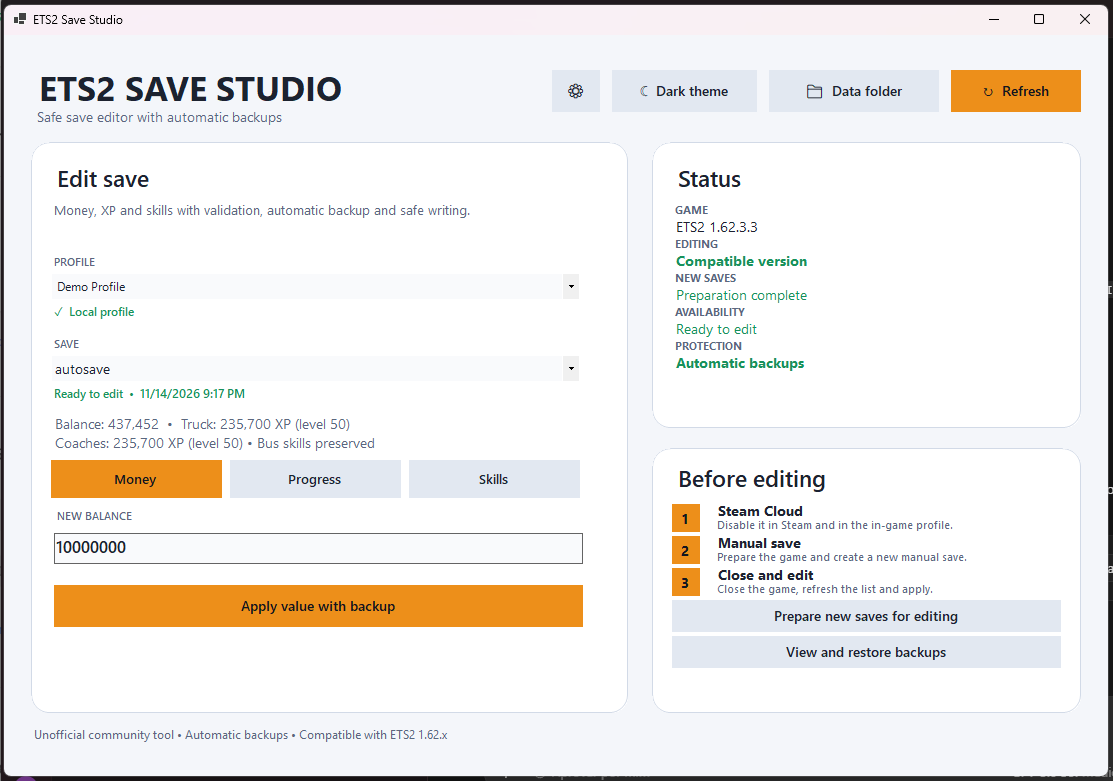
Application preview
See the selected profile, save status, current values and protections before applying a change.
Safety & backups
ETS2 Save Studio is designed to reduce risk before, during and after a supported edit.
game.sii is backed up before a successful edit.Important: safeguards reduce risk but cannot prevent every hardware failure, mod conflict or future game change. Keep independent copies of important saves.
How it works
Prepare a compatible local save, make a focused change and let the app protect the previous state.
Disable Steam Cloud in Steam and in the ETS2 profile. Use the app to prepare new text-format saves.
Close ETS2 completely, refresh the app and select the local profile and manual save you want to edit.
Review the detected values, apply the change and keep the automatic backup available for restoration.
Official release
Choose the installer for the simplest setup or the portable ZIP to run from a folder you control.
Version 1.0.0-beta.1 · No separate .NET installation required. Checksums are available on the official GitHub Release.
FAQ
Compatibility, Steam Cloud and the details that matter for a safe first run.
Yes. ETS2 Save Studio is free, closed-source freeware. Its use and redistribution are governed by the license included in the public repository.
This beta is verified for Euro Truck Simulator 2 1.62.x on Windows 10 or Windows 11 x64. Editing is intentionally blocked on unverified game versions.
No. Steam Cloud profiles cannot be edited safely by this release. Disable synchronization in Steam and in the in-game profile, then work with a local save.
No. Both the installer and portable packages are self-contained, so a separate .NET installation is not required.
No. The app does not purchase, activate or unlock DLCs. Coaches detection depends on the installed DLC or the manual app setting.
Use GitHub Issues in the public repository. Include the app, ETS2 and Windows versions plus the exact error message, but do not upload personal saves or private paths.